
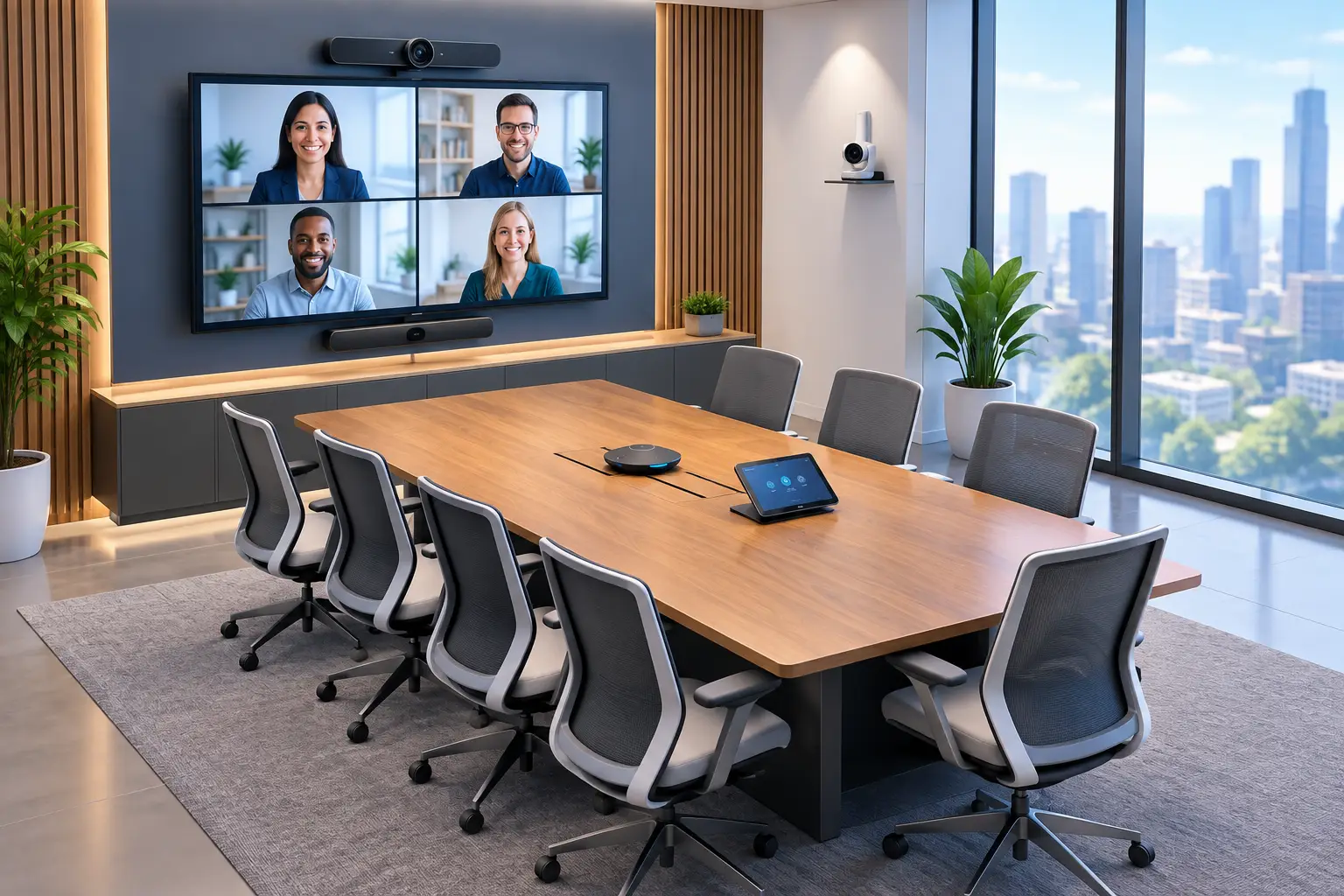
Conference Room Audiovisual Solutions That Work
A meeting that starts with ten minutes of cable swapping, camera adjustments, and repeated requests to “try reconnecting” costs more than time. It weakens client confidence, frustrates employees, and makes hybrid work harder than it should be. The right conference room audiovisual solutions make the room dependable: people can walk in, start a meeting, be clearly heard, and focus on the decision at hand.
For small and midsized organizations, the goal is not to fill every room with expensive equipment. It is to match the technology to how the room is actually used, connect it to the wider IT environment, and establish support ownership when something needs attention.
Start With the Meeting, Not the Equipment
A boardroom used for executive reviews has different requirements than a six-person huddle room or a training space that hosts 40 attendees. Buying the same screen, camera, and speaker setup for each space may look consistent, but it can leave teams under-equipped in critical rooms and overspend in others.
Begin by documenting the room’s purpose. Consider how many people regularly attend, how often remote participants join, whether clients or partners use the room, and which meeting platforms the organization relies on. Microsoft Teams, Zoom, and other collaboration platforms can all work well, but the room system should support the platform employees use every day rather than force a new workflow.
The room itself matters just as much. Long, narrow spaces may need a camera with intelligent framing or multiple camera positions. Rooms with glass walls, hard floors, or exposed ceilings can create echo that no premium webcam can fully overcome. A well-planned design accounts for lighting, sightlines, acoustics, furniture placement, power, and network connectivity before equipment is installed.
What Reliable Conference Room Audiovisual Solutions Include
The most effective systems feel simple to the user because the complexity has been handled behind the scenes. A typical solution combines a display, camera, microphones, speakers, room controller, and a computer or collaboration appliance. In some rooms, wireless presentation tools and digital whiteboarding add practical value as well.
Clear video for every participant
Camera selection should reflect room size and meeting style. A compact huddle room may only need a high-quality wide-angle camera. A larger room may benefit from optical zoom, automatic speaker tracking, or framing that keeps in-room participants visible when they move around.
Automatic features can improve the experience, but they are not always necessary. Speaker tracking is useful for presentations, interviews, and client-facing meetings. In a room where everyone sits around a small table, it may add cost without a meaningful benefit. The better choice depends on the meeting experience the organization wants to deliver.
Audio that people do not have to think about
Audio quality is usually the deciding factor in whether remote participants consider a meeting productive. If they cannot hear comments from the far end of the table, see who is speaking, or follow discussion without interruptions, video quality will not compensate.
Microphone placement, echo cancellation, speaker coverage, and acoustic conditions all deserve attention. Table microphones can work well in smaller rooms, while ceiling microphones may create a cleaner table surface and better coverage in larger spaces. Ceiling solutions require careful design and installation, particularly in rooms with high ceilings, HVAC noise, or uneven acoustics.
A simple, consistent way to launch meetings
Employees should not need instructions every time they enter a room. A touch controller that starts a scheduled meeting, joins a call, adjusts volume, and shares content can reduce support calls and meeting delays. Consistency across rooms matters here. When the controls work the same way in the conference room, training room, and executive space, adoption improves.
Wireless content sharing is convenient, but it should be evaluated with security and reliability in mind. Some organizations prefer a managed wireless presentation system. Others require a direct HDMI or USB-C connection for sensitive meetings, visitor access, or environments where wireless connectivity is restricted. Offering both methods is often a practical compromise.
Treat AV as Part of Your IT Environment
Conference room technology is no longer separate from business IT. Cameras, room controllers, displays, collaboration appliances, and wireless presentation systems connect to the network and often access cloud-based meeting services. That creates operational advantages, but it also introduces security, management, and support responsibilities.
Devices should be placed on an appropriate network segment, use strong administrative credentials, receive firmware updates, and be included in asset documentation. The system also needs enough network capacity to support high-quality video calls without affecting other business applications. A room that works reliably at 8:00 a.m. but struggles when the office is full is not a successful deployment.
This is especially relevant for organizations handling confidential client data, regulated information, financial records, healthcare information, or government contract work. The same governance applied to laptops, servers, and cloud services should extend to connected AV systems. Convenience should not create an unmanaged entry point into the network.
Remote monitoring can also make a meaningful difference. Support teams can identify an offline room device, failed display, or software issue before the next meeting begins. For organizations without dedicated internal IT staff, having a single accountable technology partner for network, collaboration, cybersecurity, cabling, and audiovisual support reduces finger-pointing when a problem crosses systems.
Plan for the Physical Details That Cause Most Problems
Many conference room projects fail because the equipment list is sound but the installation details are rushed. A camera mounted too high produces an unflattering angle. A display placed where daylight causes glare becomes difficult to use. Inadequate cable pathways lead to exposed cords, unreliable connections, and unnecessary maintenance.
Structured cabling should be planned alongside the AV design, not after the room is finished. The right cabling supports clean installation, dependable signals, future changes, and easier troubleshooting. It also helps to provide adequate power where devices will be mounted, rather than relying on extension cords or overloaded outlets.
Room scheduling panels can be worthwhile for heavily used spaces. They show availability outside the room and reduce interruptions, but they are less valuable in an office with several lightly used meeting areas. Similarly, large displays and advanced control systems may be justified in client-facing or high-volume collaboration spaces, while smaller rooms may need only a focused, reliable setup.
Build for Support, Growth, and Change
Technology choices should reflect the organization’s expected use over the next several years. A room system that only works with one laptop model, one meeting platform, or one physical layout can become a costly limitation. At the same time, paying for every possible feature is not strategic planning.
Choose equipment with a defined support lifecycle, available replacement parts, and management capabilities appropriate to the organization. Document the configuration, network requirements, administrative access, and escalation process. Staff should know how to use the room, but they should not be expected to troubleshoot complex AV or network issues during a client call.
A phased approach can reduce risk. Start with the rooms that have the greatest business impact, such as executive conference rooms, sales presentation spaces, training rooms, or hybrid team collaboration areas. Gather feedback after deployment, address practical issues, then apply those lessons to additional spaces. This produces a more consistent outcome than treating every room as an isolated project.
For organizations in the DC metro area, a local provider with both IT and audiovisual expertise can be particularly valuable during office moves, renovations, and growth periods. CMA Technologies approaches these environments as connected business systems, helping clients align the room design, cabling, network, collaboration tools, and ongoing support model.
The best conference room is not the one with the longest feature list. It is the room people trust to work when a client joins, a remote employee contributes, or a leadership team needs to make a timely decision. Start with the meetings that matter most, design around real working conditions, and give the finished system the same operational care as the rest of your technology.