
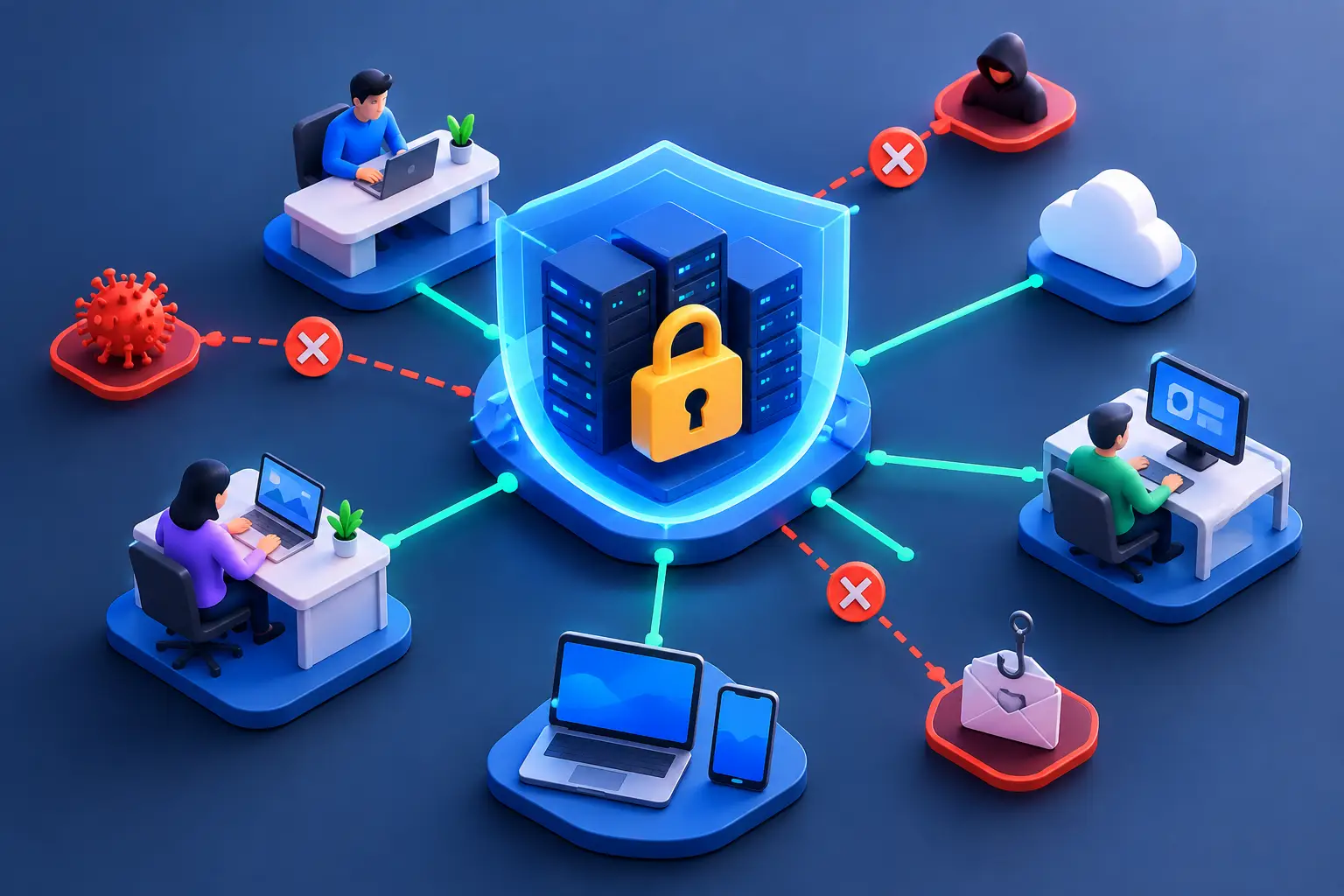
How Zero Trust Protects Your Business Systems
A single stolen password can still open far more doors than it should. An employee may reuse credentials, approve a convincing multifactor prompt, or sign in from an unmanaged personal device. Once an attacker is inside, traditional network security often treats that user as trusted. Zero trust changes that assumption: access must be continuously verified, limited to what is needed, and monitored for signs of misuse.
For organizations that rely on Microsoft 365, cloud applications, remote work, business phone systems, file sharing, and on-site infrastructure, this is not just a cybersecurity concept. It is a practical way to reduce the chance that one compromised account becomes a business-wide incident.
What zero trust means in practice
Zero trust is a security model built around a straightforward principle: never grant trust simply because a person or device is already inside the network. Every request to access an application, file, server, or administrative tool should be evaluated using available context.
That context can include the user’s identity, the device being used, the location and time of the request, the sensitivity of the resource, and whether the activity matches normal behavior. A verified employee using a managed, encrypted laptop to access a routine cloud application may be allowed in with minimal friction. The same employee attempting to download sensitive data from an unfamiliar device at an unusual hour may be asked for additional verification or blocked altogether.
Zero trust does not mean treating employees as threats. It means recognizing that credentials, devices, and applications can be compromised. The goal is to contain risk without preventing people from doing their jobs.
Why perimeter-based security is no longer enough
For years, businesses protected a defined network perimeter with firewalls, antivirus tools, and virtual private networks. Those controls still matter. A well-configured firewall, secure wireless network, endpoint protection, and timely patching remain essential layers of defense.
The challenge is that the perimeter has changed. Employees work from home, contractors need limited access, software is delivered from the cloud, and critical information moves between devices and platforms. A business may have systems in its office, a hosted environment, a data center, and multiple SaaS applications at the same time.
Attackers have adapted to this environment. They often do not need to defeat a firewall directly. They can use phishing to capture a password, exploit an unpatched endpoint, abuse a third-party account, or take advantage of overly broad permissions. If the security model assumes that anyone who signs in is safe, the attacker can move through systems with fewer obstacles.
Zero trust limits that movement. It reduces the value of a compromised account by ensuring that access is specific, conditional, and revocable.
The core controls behind zero trust
Zero trust is not a single product that can be purchased and checked off a list. It is an approach implemented through coordinated identity, endpoint, network, data, and monitoring controls.
Strong identity verification
Identity is the first control point. Every user should have a unique account, and shared credentials should be eliminated wherever possible. Multifactor authentication should protect email, cloud applications, remote access, administrative tools, and financial systems.
However, multifactor authentication alone is not enough. Attackers increasingly use techniques such as adversary-in-the-middle phishing and MFA fatigue to bypass basic prompts. Conditional access policies can add protection by requiring stronger verification when risk is elevated, blocking outdated authentication methods, and restricting access from countries or devices that do not fit the organization’s operating needs.
Privileged accounts deserve even more attention. Administrators should use separate accounts for daily work and elevated tasks, and they should receive only the permissions necessary for their defined responsibilities.
Managed and secure devices
A legitimate user on an unsafe device is still a risk. Zero trust uses device health as part of the access decision. A device can be required to have current security updates, disk encryption, active endpoint protection, a screen lock, and approved management software before it accesses sensitive systems.
This is especially valuable for organizations with remote personnel, field teams, or a mix of company-issued and personal devices. The right policy depends on the work being performed. A personal phone might safely access email through a protected mobile application, while accounting records or administrative systems may require a company-managed computer.
The point is not to force every device into the same policy. It is to align access with risk and make expectations clear.
Least-privilege access
Users should have access to the information and systems required for their role, not broad access based on convenience or legacy practice. This is known as least privilege, and it is one of the most effective ways to limit damage from compromised credentials, insider mistakes, and ransomware.
For example, a marketing employee does not need access to payroll folders. A temporary contractor may need one project workspace but not the broader file environment. A help desk technician may need the ability to reset passwords but not unrestricted access to executive mailboxes.
Permissions should also be reviewed regularly. Employee transfers, departures, acquisitions, and software changes often leave behind access rights that no longer serve a business purpose. Automated onboarding and offboarding processes can help, but periodic human review remains necessary.
Segmentation and protected data
Flat networks make it easier for an attacker to move from one compromised system to another. Network segmentation separates critical resources so that a breach in one area does not automatically expose everything else.
A practical design might separate guest wireless access, employee workstations, servers, security cameras, voice systems, and financial or operational applications. In cloud environments, similar separation can be applied through security groups, application permissions, and restricted administrative paths.
Data also needs its own protections. Sensitivity labels, encryption, retention policies, and controls that prevent unauthorized sharing can reduce exposure when files are emailed, synced, or accessed from cloud storage. Not every document needs the same treatment, but financial records, patient information, legal documents, contracts, and controlled government data should receive stronger safeguards.
Continuous monitoring and response
Zero trust is not a set-and-forget project. Access decisions and security controls must be supported by ongoing visibility. Centralized logs, endpoint detection and response, vulnerability management, email security, and alert review help identify suspicious behavior before it becomes a major event.
The quality of response matters as much as the alert itself. A security tool may flag an impossible-travel login or an unusual file transfer, but the organization needs a defined process to investigate, contain, and recover. That process should identify who is responsible, how accounts are disabled, how affected systems are isolated, and when business leaders must be informed.
Where to begin without disrupting operations
A zero trust program should be phased. Trying to redesign every system at once can create unnecessary disruption and lead employees to work around new controls. Start with the assets that would cause the greatest business impact if compromised: email, identity systems, financial platforms, core file storage, remote access, and administrator accounts.
First, establish a clear inventory of users, devices, applications, privileged accounts, and sensitive data. Many organizations discover that inactive accounts, unknown devices, and outdated applications are their most immediate risks. Next, enforce multifactor authentication and remove legacy authentication paths. Then improve device management, access policies, and least-privilege permissions in manageable stages.
Testing is critical. Policies should be rolled out in report-only or pilot modes when possible, with a small group of users validating how they affect normal work. A policy that blocks a legitimate client portal, conference room system, or line-of-business application can create operational problems if it is not planned carefully.
Documentation and employee communication also matter. Employees are more likely to follow security requirements when they understand why a prompt appears, what to do with a lost device, and how to report a suspicious login attempt quickly.
The business value is containment
No security strategy can guarantee that a phishing email will never be opened or that a credential will never be stolen. The measurable value of zero trust is that it reduces the blast radius when something goes wrong. It makes unauthorized access harder, limits lateral movement, and gives technical teams more context to respond faster.
For small and midsized organizations, the right design is rarely the most complicated one. It is the one that protects critical operations, supports employees, meets applicable compliance obligations, and can be managed consistently over time. A thoughtful zero trust approach gives your organization a stronger position when the next suspicious login, vulnerable device, or targeted phishing attempt appears.